Overall Data Model
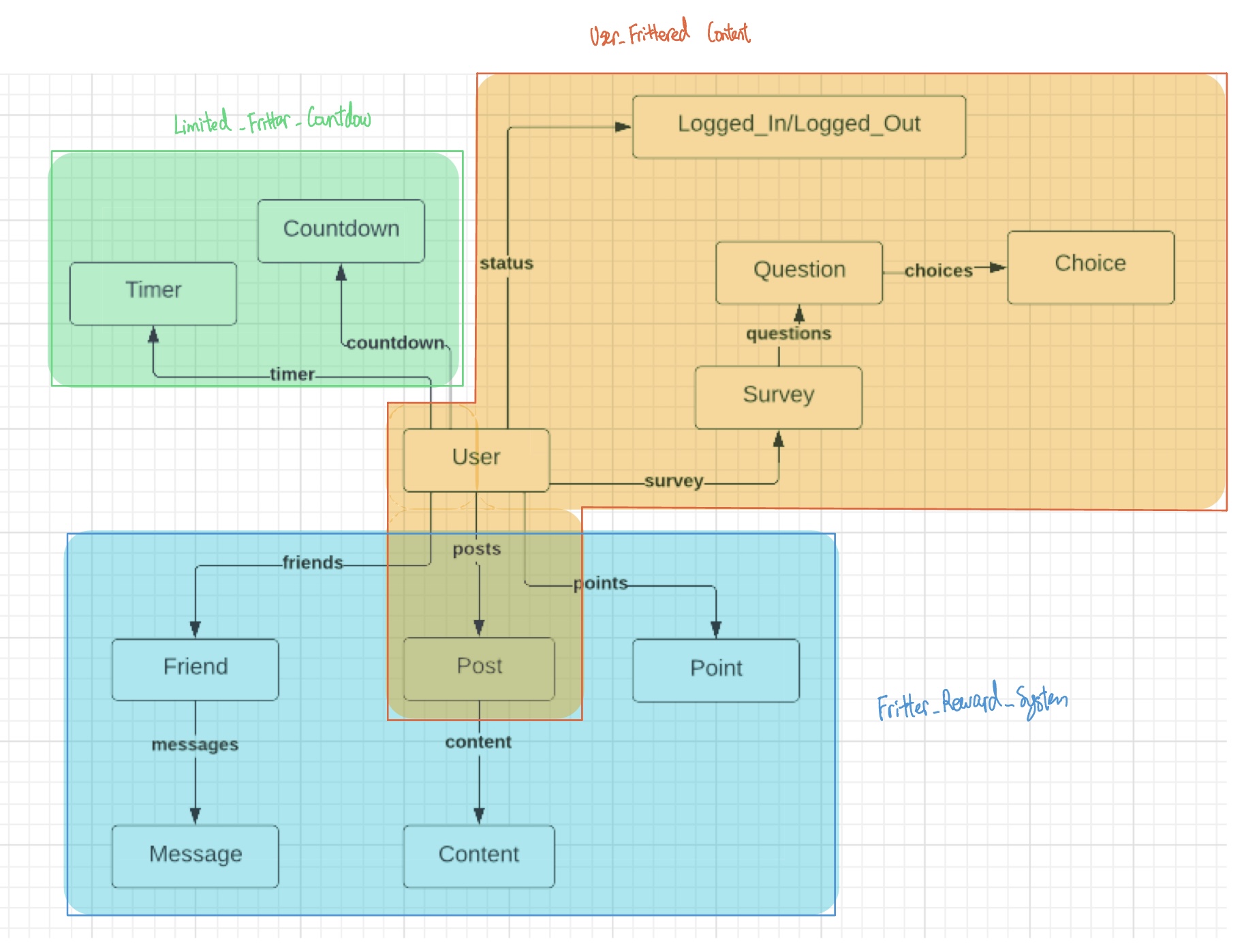
Generic Concept List and Data Model Breakdowns
Feature 1: User Frittered Content
Original Concept 1: Fritter_User_Auth
New Generic Concept User [User]
State Variables
user: User → one User
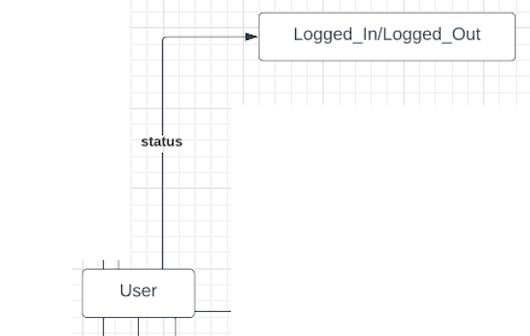
logged in: User → one Status
logged out: User → one Status
Actions
// Logging in to an Account
Log_In(u: User, s: Status = Logged_In)
    u.status = s
// Logging out of an Account
Log_Out(u: User, s: Status = Logged_Out)
    u.status = logged_out
Relational Visualization
User {
    status: {Logged_In/Logged_Out}
}
ER Diagram
Original Concept 2: Fritter_User_Post
New Generic Concept Post [User]
State Variables
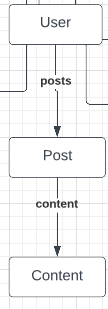
collection: User → set Post
content: Post → one Content
Actions
// User publishes a Post
Publish (u: User, p: Post)
    u.posts += p
// User Modifies a Post
Modify (u: User, p: Post, c: content)
    a.posts.content = c
// User Deletes a Post
Delete (u: User, p: Post)
    a.posts -= p
Relational Visualization
User {

    posts: {

        post1: {content:  Content}

        post2: {content:  Content}

        post3: {content:  Content}

    }

}
ER Diagram
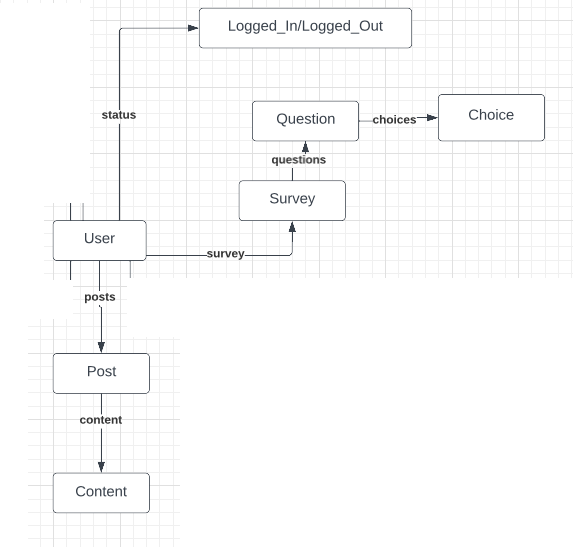
Original Concept 3: Fritter_Feed_Survey
New Generic Concept Survey [User]
State Variables
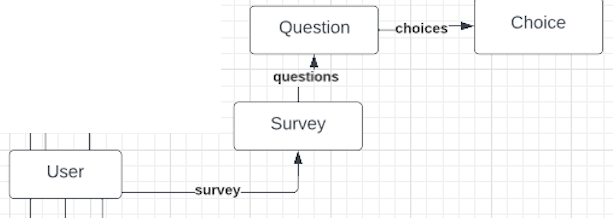
survey: User → one Survey
questions: survey → set Question
choices: question → set Choice
Actions
// User Chooses an Answer
Answer (u: User, s: Survey, q: Question, c: Choice)
    u.survey.questions.question1 +=  c
Relational Visualization
User {

    survey: {

        questions: {

            question1: {choice1, choice2, choice3}

            question2: {choice1, choice2, choice3}

            question3: {choice1, choice2, choice3}

        }
    }

}
ER diagram
Feature 1 Overall Data Model
Feature 2: Fritter Reward System
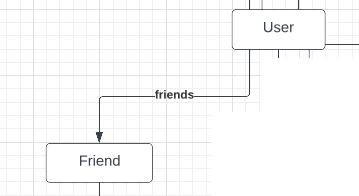
Original Concept 4: Fritter_Friend
New Generic Concept Friend [User]
State Variables
friends: User → set Friend
Actions
// User adds a friend
Add (u: User, f: Friend):
    u.friends += f
// User removes a friend
Remove (u: User, f: Friend)
    u.friends -= f
Relational Visualization:
User {

    friends: {Friend1, Friend2, Friend3}

}
ER Diagram
Original Concept 5: Fritter_Chat
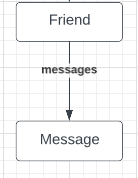
New Generic Concept Message [Friend]
State Variables
messages: Friend → set Message
Actions
//User messages a friend
Message (f: Friend, m: Message)
    f.messages += m
Relational Visualization
Friend {
    messages: {m1, m2, m3 …}
}
ER Diagram
Original Concept 6: Fritter_Reward
New Generic Concept Points [User]
State Variables
points: User → one Point
Actions
// Increase Point
Add Point (u: User, p: Point)
    u.points += p
// Decrease Point
Deduct Point (u: User, p: Point)
    u.points -= p
Relational Visualization
User {
    points: 10
}
ER Diagram
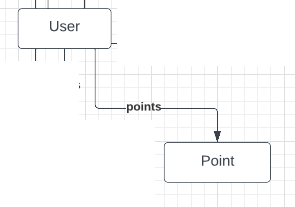
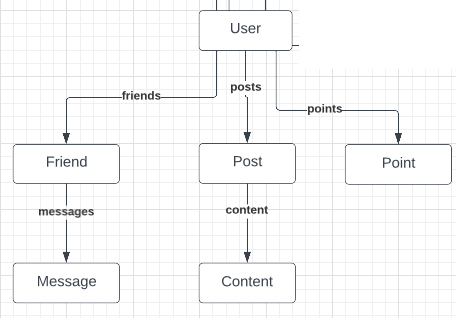
Feature 2 Overall Data Model
Feature 3: Limited Fritter Countdown
Original Concept 7: Fritter_Limit
New Concept Name Timer [User]
State Variables
timer: User → one Timer
Actions
// Set a timer
Set (u: User):
    u.timer = 1
Relational Visualization
 User {
    timer: 60 minutes
}
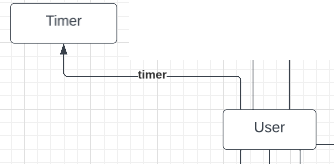
ER Diagram
Original Concept 8: Fritter_Activity_Monitor
New Concept Name Countdown [User]
State Variables
countdown: User → one Countdown
Actions
// Count down
Countdown (u: User)
    u.countdown -= 1
Relational Visualization
User {
    countdown: 10
}
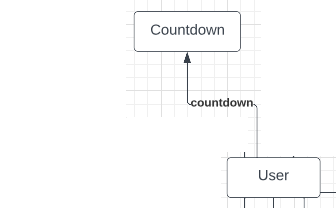
ER Diagram
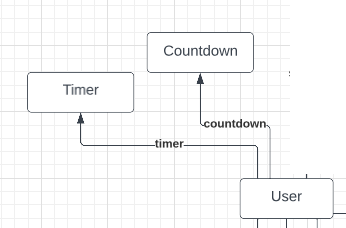
Feature 3 Overall Data Model
Fritter Backend Code - Milestone
The overall directory with code and READme can be accessed here. The commit hash is 5a7140d
Fully Working Concept is "Points"
MongoDB entry to incorporate point concept is edited and accessible here.
Necessary helper methods to modify points value in MongoDB are defined here.
New routes for points concept are mapped here.
Response object for points concept are accessible here.
Two new front end placeholder forms for points concept are created here.
JS functions to process frontend information for points concept are defined here and then called here.
RESTful API Routes
An outline of RESTful routes are here.
Finished Backend Application
The deployed website can be accessed here
Reflection
An ambiguity that I discovered in my design is trying to decide when to add a new concept as a new module and when to add a new concept as a new attribute within an existing module. Specifically, most of my concepts center around User, with some being just a single number (i.e. point, timer, countdown) and other being sets (i.e. friends, messages, survey). While I was developing the concepts and the initial data model, I wasn’t expecting that these concepts to tie so closely with User. I have to figure out how to store such mapping.
An alternative I’ve considered is completely separating all concepts from user by incorporating the “populate” and “virtual” functionalities, but a closer look made me realize that these are not exactly necessary. Adding them will make these collections bigger and even messier, since these none standalone concepts will then have the entire corresponding entry from User collection. Another alternative is to add everything into the User collection, so everything can be accessed easily. However, I don’t think this is a good idea because then the User collection will be huge. It will include sets that are infinitely long. Thus, ultimately, I’ve decided to take the midpoint and user “standalone-bility” as a criteria.
That is, there are certain concepts (namely point, timer, countdown) that are not standalone without the User concept. In order to keep the best modularity while preserving a clean data model mapping, a decision I made is to merge these non standalone concepts with the User concept, adding them as attributes. Other standalone concepts are still closely related with User concept, so I’ve made the username as a “unique key identifier” unofficially. This way, these concepts can be kept as their separate modules while cross-referenced by username.